User Tools (Tools/Options)
The User Tools tab of the IDE option dialog allows the IDE to provide quick access to often used external applications. When tools are defined, their icons are displayed at the end of the IDE main toolbar near the top of the window.
User Defined Tools Options Dialog Items
A list of third party tools defined for the IDE added by the user. If a user has a particular program that is often needed, the program can be added to the IDE toolbar by defining the program properties and selecting an icon. The user defined tools will appear at the end of the IDE main toolbar.
Allows the user to define a user tool.
Modifies a user defined tool.
Type the full path and name of the debugger used by the IDE Studio when debugging programs. Alternatively, you may use the Browse button to locate the debugger.
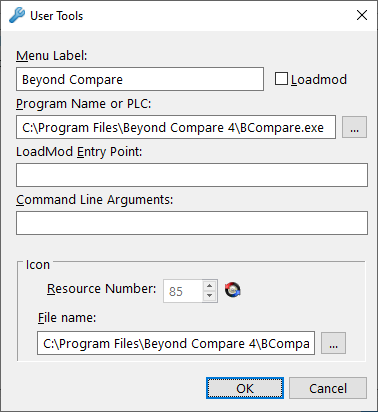
When adding or editing a user tool, the following dialog is displayed:
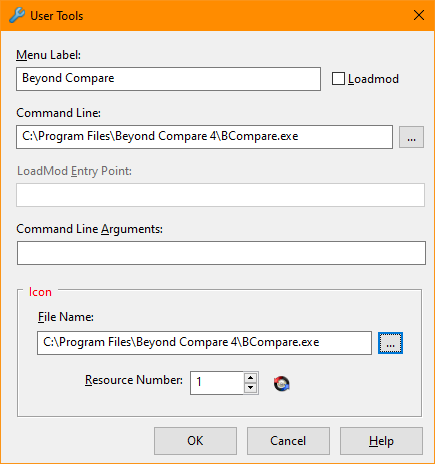
Tools Options Add and Edit Dialog Items
Defines the text that is used on the Tools/User Defined submenu and as the tooltip text on the toolbar.
Identifies the program or PLC as a LOADMOD.
Defines the target program called when the menu item or toolbar icon is clicked.
Defines the label within the PLC that is called.
Parameters are passed using the S$CMDLIN common variable. A $1 parameter is substituted for the currently active file opened in the editor, a $2 parameter is substituted with the active program name, and a $3 is substituted with the selected file name.
Defines the resource number of the icon that is displayed on the toolbar.
Defines the file name that contains the icon that is displayed on the toolbar.


 |