Windows (Tools/Options)
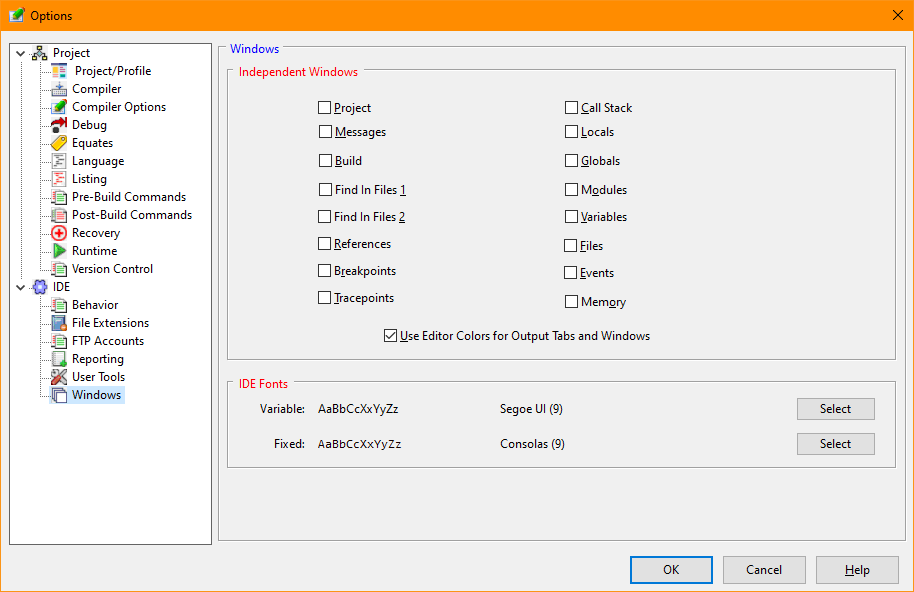
The Windows tab of the options allows selection of the windows that the user wishes to be independent of the main IDE window.
Windows Options Dialog Items
Allows selection of IDE window which should be independent of the primary IDE window. This allows a larger window of the selected type without increasing the IDE's lower pane and reducing the size of editing window. Alternatively the independent window could be placed on a second monitor. The size and position of independent windows are maintained by the IDE configuration file and restored when the IDE is started
Instructs the IDE to apply the selected editor's background and foreground colors to the tabs in the lower pane of the IDE and to output windows that are independent..
Allows selection of both the variable and fixed pitch font used by the IDE. Fonts size selection is limited to a range of eight to twelve.


 |