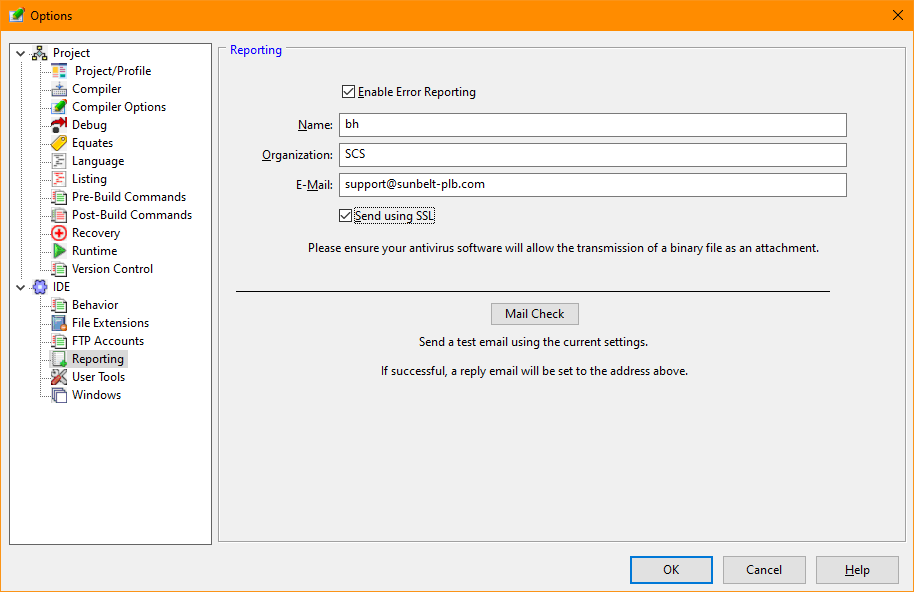
Reporting (Tools/Options)
The Reporting tab of the Tools menu options provides access to the IDE Studio Reporting options.
IDE errors may be reported to Sunbelt Support for resolution. The reporting option sends configuration settings, program state information, and files to reproduce the state of the IDE at the time of the error. By setting the reporting options, default values are established should an error occur.
Reporting Options Dialog Items
Allows error reporting to be enabled or disabled.
The name of the user reporting the error.
The user's organization name.
The user's email address. Problem resolutions will be reported to this address.
Allows the email and attachments to be sent using the Secure Sockets Layer.
Sends a test email to the email address specified in the dialog to allow testing of the reporting function.


 |