Properties (Window menu)
The Properties window contains the list of properties for a selected form, printpage or object. These
properties may be changed at design time and the Properties window shows each property's current setting.
To open the Properties window, choose Properties from the Window menu, press F4 or click on the Properties
toolbar button.
To close the Properties window, click the Property window's close button on menu box.
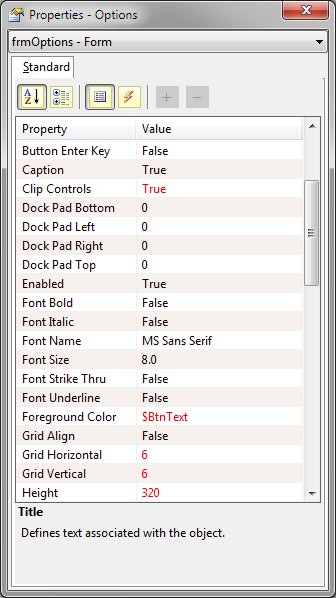
The Properties Window
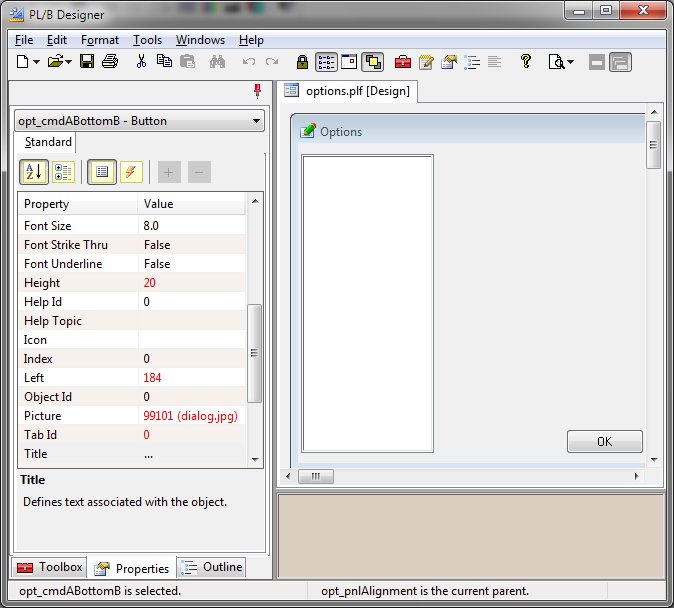
The Properties Window while using the Integrated Layout
The Properties Window consists of:
-
The Object box
-
Located beneath the title bar, the Object box identifies the currently selected form or the currently
selected object on the form. Click the arrow at the right side of the Object box to see a list that includes
the current form and all the controls on the form. From the list, choose the current form or a control
on the form whose properties you want to change.
-
The Toolbar
-
Located beneath the Object box, the Toobal contains buttons that allow you to control the information
displayed in the property window. The first two buttons toggle the window between an alphabetized or
categorized displayed. The second two buttons toggle between showing properties or events for the selected
object. When multiple objects are selected, the last two buttons toggle between showing inclusive or
exclusive properties. Inclusive properties consists of all properties for all selected objects. The
list may contain properties that do not pertain to all objects. The Exclusive properties consists on
only the properties that apply to all selected objects.
-
The Property list
-
Located in the center of the Properties window, this two-column list shows all properties that may be
changed at design time and their current settings. For properties that have settings, double clicking
on the property name in the Property list cycles through the available choices. For properties with only
two choices, double clicking toggles between the two choices.
-
The Quick Help window
-
Located at the bottom of the Properties window, this are will display the currently selected property
name and a brief definition.
See Also: Applying
Object Properties


