Add (Tables Menu)
The Add function of the Tables Menu creates a new table within the open database.
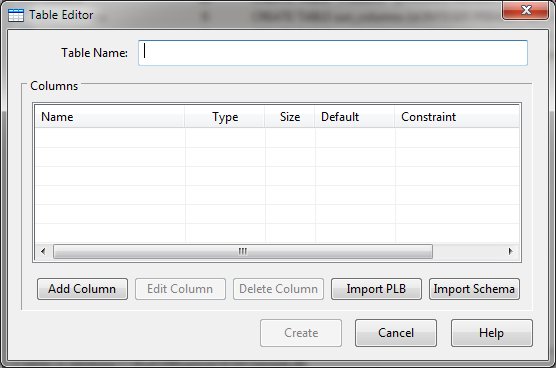
Table Editor Dialog Items
-
Table Name
-
Specifies the name of the new table
-
Columns
-
Shows a list of existing column definitions.
-
Add Column
-
Opens the Column
Editor dialog for column addition.
-
Edit Column
-
Allows modification of the selected column using the Column Editor
-
Delete Column
-
Removes the selected column from the Columns list.
-
Import PLB
-
Opens the Import PLB dialog where PL/B source code may be defined. Column definitions will be extracted
from the source code.
-
Import Schema
-
Opens the Import Schema dialog an imports column definitions from a Sunbelt ODBC schema file.
-
Create or Update
-
Creates or updates the defined table.
-
Cancel
-
Aborts the table creation process and returns to the program.
-
Clicking the Add Column or Edit Column button will present the Column
Editor.


