Copy (Table Menu)
The Copy function allows an existing table to be cloned. Upon selection, the Copy Table dialog will be
displayed.
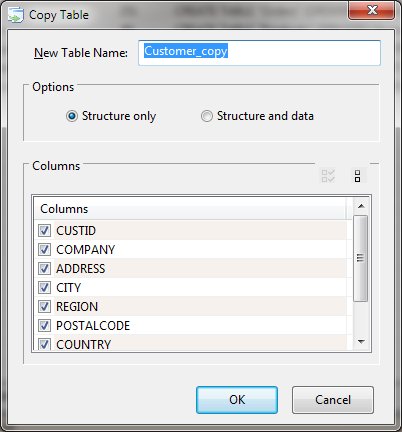
Copy Table Dialog Items
-
New Table Name
-
The required name of the new table. A default name comprised of the original table name and the string
"_copy" is generated as a default value.
-
Options
-
Allow specification of whether the data should be include with the structure during the copy process.
-
Columns
-
Allows selection of columns to be copied. Buttons allow for quick selection of all or none of the columns.
A minimum of one column must be selected to perform the copy.
No indexes, views or triggers are copied by this function.


