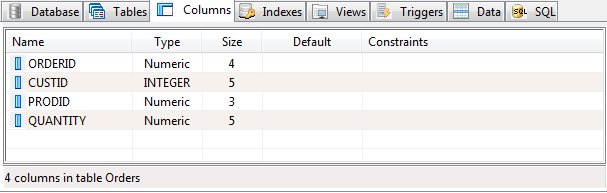
The Columns Panel
In the context of a relational database table, a column is a set of data values of a particular simple type, one for each row of the table. The columns provide the structure according to which the rows are composed.
The term field is often used interchangeably with column, although many consider it more correct to use field (or field value) to refer specifically to the single item that exists at the intersection between one row and one column.
The columns panel show all defined columns within the currently selected table or view. Columns within a view are read-only and cannot be edited or deleted.
The columns panel show each column's name, type size, default value and any constraints.
Column Addition or Edit
To add or edit a column, choose "Add" or "Edit" from the Columns menu or from the shortcut menu. The column editor will be displayed.
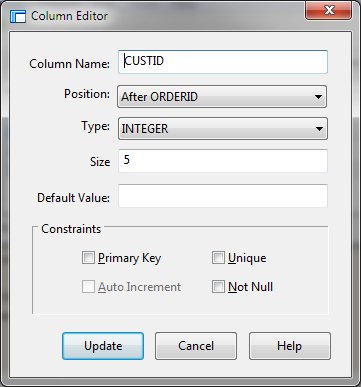
Typically within database the column order is not important although the column editor does allow you to position columns within the table.
There are a number of rules regarding the constraints. As some constraints are selected, others will be disable to prevent conflicts.
Supply the required values and click Add. While adding columns, the dialog will remain active allowing multiple columns to be entered. Click Close when column addition is complete.
Column Deletion
To remove a column from a table, select the column in the columns panel and click "Delete" from the Columns or shortcut menu. Remember to modify an triggers that may reference the column.


 |