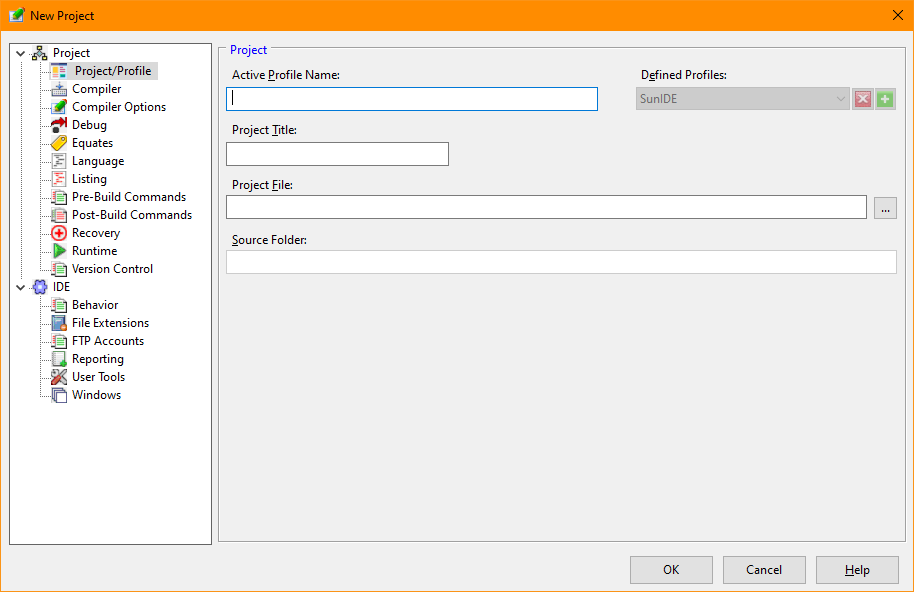
Project/Profile (Tools/Options)
The Project/Profile tab of the Options dialog provides access to the basic project settings
Projects occasionally have a need to override the IDE options and there may be some options that are unique to each program. The Project Options dialog allows the developer to define the settings needed.
A project may contain multiple profiles. Each profile may be customized for a particular purpose. For instance, a project may have a Debug and a Release profile. The Debug program could contain some specialized setting that would aid in the development of the program. Once the project has been fully developed and is ready for distribution, it could be compiled with the Release profile setting that excludes the development settings. When multiple profiles are defined, a selection box in the toolbar allows quick changes between profiles.
Project Options Dialog
Allows definition of a desciptive name of the project profile
Shows a list of the defined profiles and activates the one selected. The plus (+) and the delete (X) command buttons will allow new profiles to be defined or an existing profile to be removed.
The name and location of the project file. This file's path becomes the Source Folder.
The name of the directory containing the source files. This folder must reside in the project file's folder.


 |