The Aamdexes Panel (SQLIO)
Within a Sunbelt SQLIO Schema database a required table named "sun_sqlio_afile" must exist. The SchemaEditor exposes this table using the Aamdexes panel. This table contains the schema information that associates a PLB program AFILE file reference to a SQL data table name. In addition, this table contains the AFILE key information that allows the runtime to identify the SQL data table columns associated with the key information. The columns defined for this system table are:
|
Column |
Use |
|
id |
This column is a unique number that identifies an aamdex record layout. The SQL data type for this column is 'integer primary key'. |
|
name |
This column contains contains the PLB AAM file name as specified in a PLB OPEN instruction. |
|
file_name |
This column that identifies the TXT file name associated with the AAM file. The data in this column is used to look up information contained in the 'SUN_SQLIO_FILE' system table. |
|
key_info |
This SQL text column that contains AFILE key specifications same as specified for an AFILE PREP instruction.. |
|
description |
This text column for user information as desired. |
Aamdex Addition
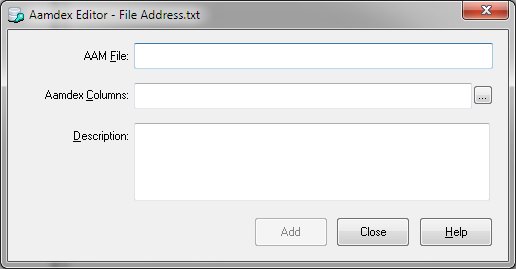
To add an aamdex to the database, select "Add" from the Aamdex menu or right click on the Aamdexes panel and choose "Add". The Aamdex Editor will then be displayed.
Edit Aamdex
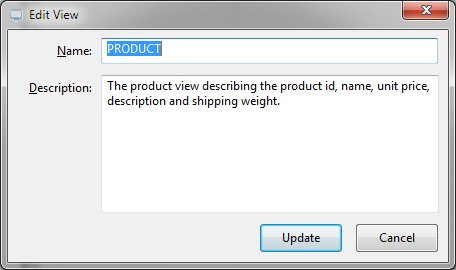
The Edit Aamdex function allows the user to alter an aamde's name or description. Once selected, the following dialog appears:
Delete Aamdex
The Delete aamdex function removes the aamdex from the schema database. The Delete functions within the SchemaEditor utility all support multiple selection.


 |