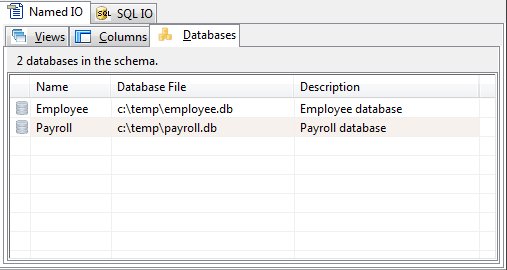
The Databases Panel (Named IO)
The Databases Panel allows maintenance of the entries in the 'sun_databases' table of a Named IO database. These databases provide a logical extension to the selected schema file.
The "sun_databases" tables contains the following columns:
|
Column |
Use |
|
id |
This column is a unique number that identifies the schema database name. The id column is a pseudo column whose value is a unique number assigned by the SQLite database engine when a row is inserted into a table. The id column can not be changed by an end-user. |
|
name |
This column contains a name for the schema database that can be specified in a SCHEMA, OPEN, or PREPARE instruction. This name is not case sensitive and allows a program to uniquely access/use specific SQLite databases for program operations. |
|
description |
This column contains text that describes the schema database that has been specified. |
|
databasefile |
This column contains a path and filename for a SQLite database that is to be access/used. The runtime uses this physical SQLite database file when a PLB program specifies the schema name. |
The Databases Panel shows the names of all database entries in the schema, the path and file name of the schema, and the description.
Database Addition or Edit
To add or edit a database entry, chose "Add" or "Editor" from the Databases menu or from the shortcut menu. The database editor will be displayed.
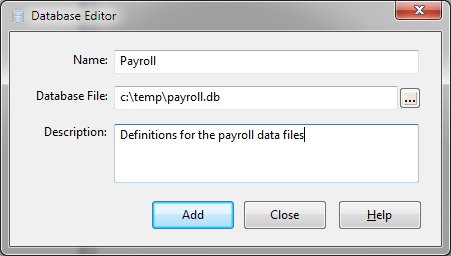
Supply a distinct name for the entry and specify the schema database file. Once the name and database have been defined, click the "Create" or "Update" button.
Database Deletion
To remove a Database from the schema, select the database entry in the Databases panel and click "Delete" from the Databases or shortcut menu.


 |