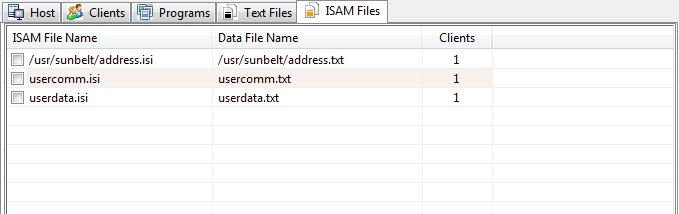
The ISAM Files Panel
The ISAM Files Panel shows information regarding all ISAM files currently open on the server. The information consists of the the fully qualified file name and the number of clients that have the file open.
Clicking on a column header will sort the files based on that column.
Right clicking on the files list, will produce a shortcut menu that allows a number of functions:
Close
Sends a close instruction to all clients with the selected file open.
Abort
Sends an abort instruction to all clients with the selected file open.
Close All Selected
Sends a close instruction to all clients with the checked files open.
Abort All Selected
Sends an abort instruction to all clients with the checked files open.
Alias
Allows creation of a new alias for the selected file. Aliases must be disabled (Tools/Options) for this function to be available.
Refresh
Updates the information displayed by the Watch utility.