 Connect Button
Connect (File Menu)
Connects to an available Web Server, Application Server, Data Manager, or License Server.
To quickly connect to a server, click the Connect button on the toolbar.
Connect Button
Once selected, the connection dialog appears:
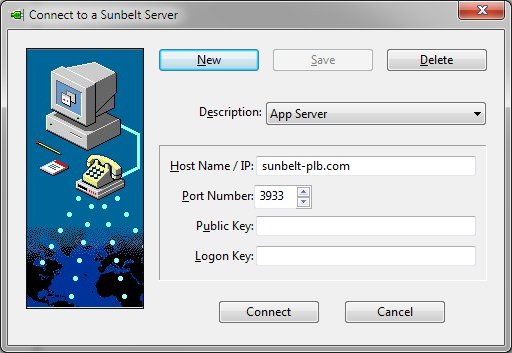
Connection Dialog Items
New
Save
If a new connection is defined or changes to the currently selected connection are made, clicking the Save button will store the changes on disk.
Delete
The Delete button will remove the currently selected connection after prompting.
Description
The Description list box contains all the previous defined and stored connection. To modify a connection, first select it in the listbox, make any changes to the connection information required, and click the Save button. To remove a connection, select it in the Description list box and click Delete.
HostName / IP
This field defines the host name or IP address of the server.
Port Number
This field defines the port number on which the server is accepting administrative requests.
Public Key
This field defines the public key that matches the definition at the server.
Logon Key
This field defines the logon key that matches the definition at the server.