Post-Build Commands (Tools/Options)
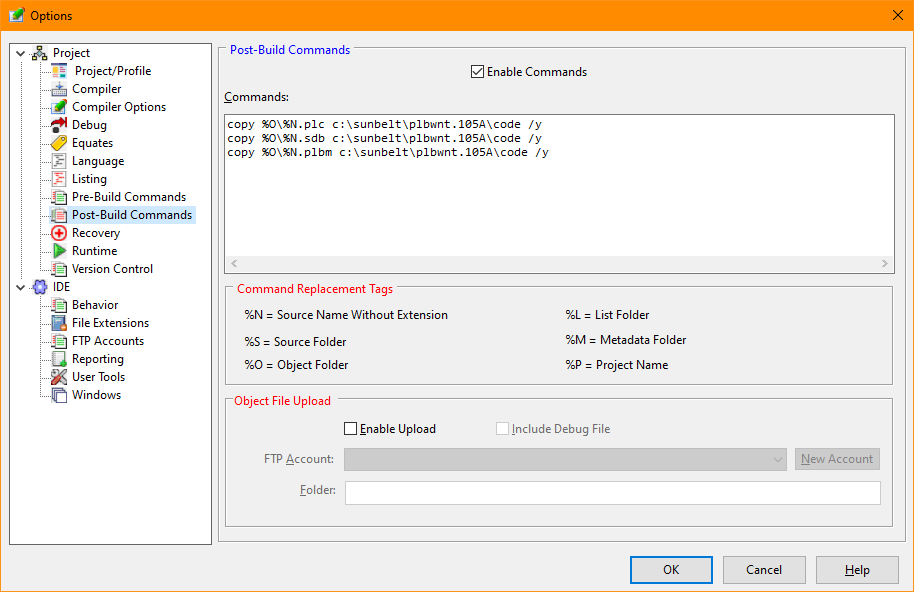
The Post-Build Commands tab of the Options dialog allows defintions of commands the IDE should execute after successfully building the selected program.
Post-Build Options Dialog
Allows disabling commands with removing them.
The Commands option allows commands to be entered. Command replacement characters may be specified that are substituted based on the current project options.
Instructs the IDE to upload the program's object file to an FTP server after a successful compile.
Allows the program's debug file to be included when uploading.
The FTP account to be accessed.
Allows definition of a a new FTP account
The destination folder for the uploaded files on the FTP server.


 |