Quick Watch (Debug Menu)
The Quick Watch selection of the Debug menu allows examination of a variable. The variable type, state,
and value are shown. Additionally, the Form Pointer, Length Pointer and value may be modified and the
variable can be added to list of watched variables.
To quickly perform a Quick Watch, press the Ctrl+Q keys.
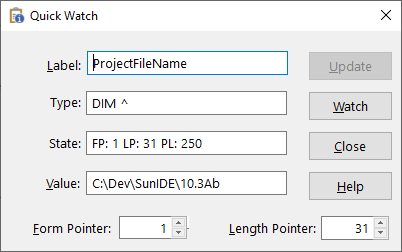
Quick Watch Dialog Items
-
Label
-
The program variable being examined.
-
Type
-
The defined type of the variable.
-
State
-
Information regarding the characteristics of the variable.
-
Value
-
The current value of the variable.
-
Form Pointer
-
The current value of the form pointer when the type is a character variable.
-
Length Pointer
-
The current value of the Length pointer when the type is a character variable.
-
Update
-
Refresh the information shown in the quick watch window.
-
Watch
-
Adds the watch variable to the watch variable list
-
Close
-
Closes the quick watch window.
See also: Debugging


