Test (Views Menu)
The test function helps verify and check your view settings. The function also supports a FILTER setting.
To test the selected view, select Test from the view menu or click the test button.
 Test Button
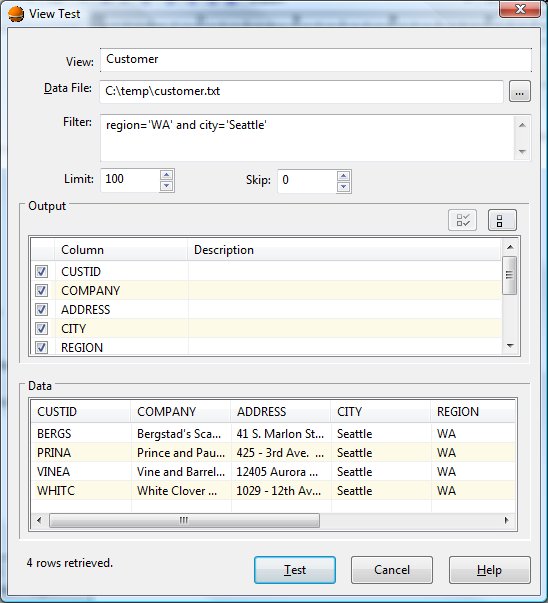
Once selected, the Test function displays the following dialog:
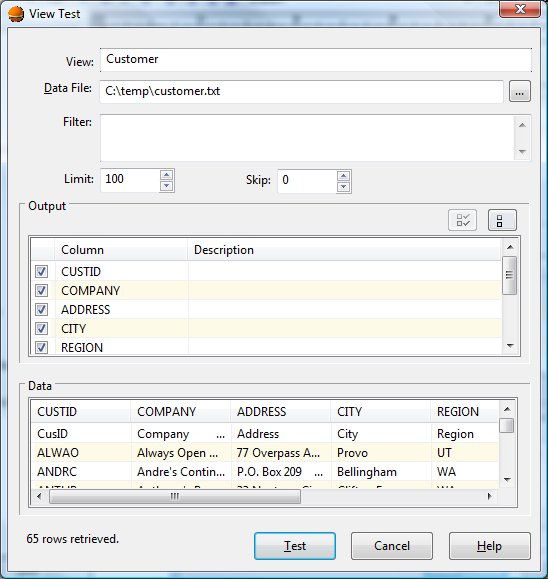
View Test Dialog Items
-
View
-
Specifies the name of the selected view.
-
Data File
-
Defines the required data file name to which the view is applied for testing purposes.
-
Filter
-
Defines an optional filter string that is applied before data is retrieved.
-
Limit
-
Defines the maximum number of records to retrieve. A value of zero allows all records.
-
Skip
-
Defines an optional number of records to skip at the beginning of the file.
-
Output
-
Allows selection of columns to be output.
-
Data
-
Shows the results of applying the view and optionally the filter to the data file.