Options (Tools Menu)
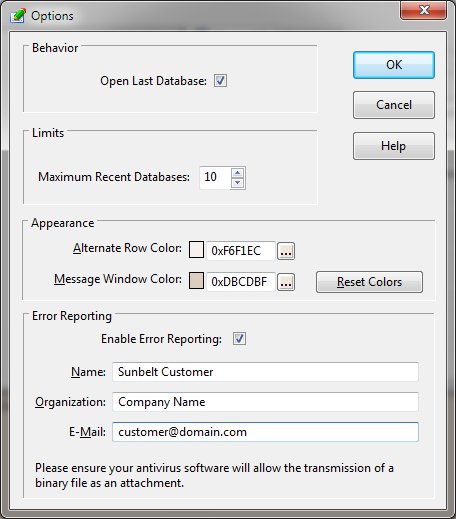
The Options function modifies the DB Explorer settings that control the appearance and behavior of the
program.
-
Open Last Database
-
Selection of this option will cause the database last accessed with the SchemaEditor program to be automatically
opened when the program begins.
-
Maximum Recent Databases
-
This option controls the count of the file names kept for each database accessed by the SchemaEditor.
-
Alternate Row Color
-
This option allows the user to modify the alternate row color used on the SchemaEditor's lists.
-
Message Window Color
-
This option allows the user to modify the message window color.
-
Reset Colors
-
This button returns the color values to the default values.
-
Enable Error Reporting
-
This option allows the program to send error information to Sunbelt support for analysis.
-
Name, Organization, Email
-
These fields help identify the error report's sender.
-


