Add / Edit (SQL Files Menu)
The Add function of the SQL Files Menu creates a defines a file in the schema database.
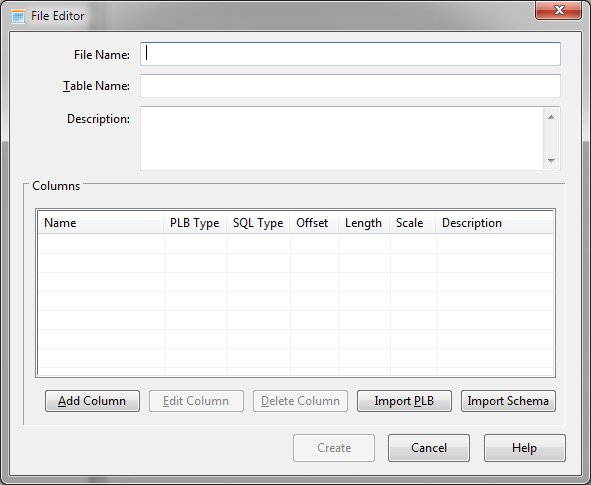
File Editor Dialog Items
-
File Name
Defines the name of the file. This name must be unique within the schema.
-
Table Name
-
Specifies the table name within the database.
-
Description
-
Provides a description of the file entry.
-
Columns
-
Provides information regarding the defined columns for the file.
-
Add Columns
-
Allows addition of a new column.
-
Edit Column
-
Allows modification of the selected column.
-
Delete Column
-
Allows removal of the selected columns.
-
Import PLB
-
Retrieves column definitions from PLB source.
-
Import Schema
-
Retrieves column definitions from a Sunbelt ODBC schema file.


