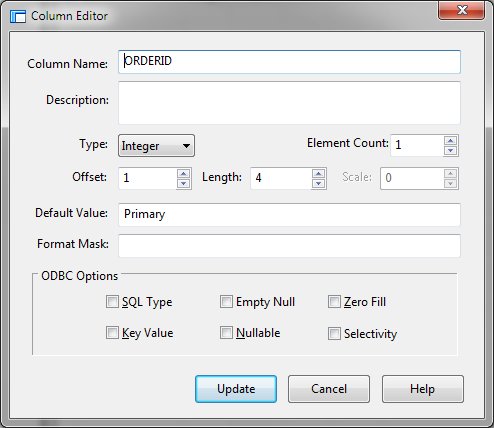
Add / Edit (Named IO Columns Menu)
The add function inserts columns into an existing View. Edit allows modification of a defined column. Clicking the Add or Edit Column Menu item will display the Column Editor.
Column Editor Dialog Items
Specifies the unique name of the column.
Provides descriptive text regarding the column.
Allows selection of a PLB column type. The schema allows Dim, Form, and Integer types.
Allows specification of the number of elements if the column represents an array.
Defines the starting position of the column within the data row.
Allows specification of the column length.
Defines the number of decimal places for Form type columns. If this value is '-1', the FORM is to have a decimal point with any fractional digits. Otherwise, this value can be from zero to the maximum number of fractional digits allowed for a PLB FORM variable
ODBC Options
These options are required for ODBC driver to be implemented at a later time.


 |