Add or Edit (Triggers Menu)
The Add function of the Triggers Menu creates a new trigger on the selected table. Triggers are database
operations that are automatically performed when a specified database event occurs. Tables may have any
number of triggers. The Edit function of the Trigger Menu uses the same Trigger Editor.
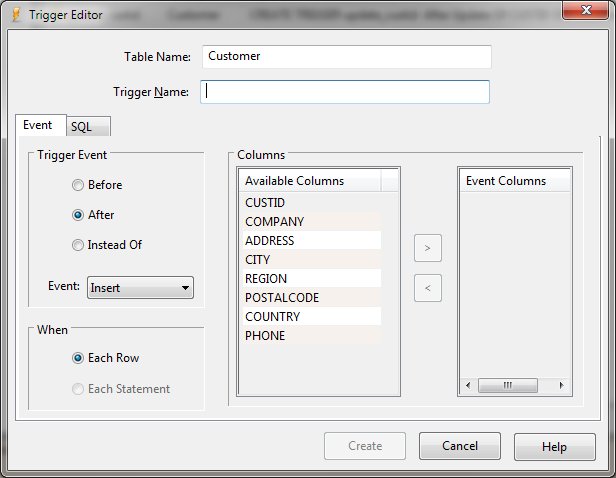
Trigger Editor Dialog Items
-
Table Name
-
Shows the currently selected table to which the trigger will be added.
-
Trigger Name
-
Defines the name of the trigger to be created or being edited. This name must be unique.
-
Event Tab
-
Trigger Event
-
If a WHEN clause is supplied, the SQL statements specified are only executed for rows for which the WHEN
clause is true. If no WHEN clause is supplied, the SQL statements are executed for all rows. The BEFORE
or AFTER keyword determines when the trigger actions will be executed relative to the insertion, modification
or removal of the associated row.
-
-
Triggers may be created on views, as well as ordinary tables, by specifying INSTEAD OF in the CREATE TRIGGER
statement. If one or more ON INSERT, ON DELETE or ON UPDATE triggers are defined on a view, then it is
not an error to execute an INSERT, DELETE or UPDATE statement on the view, respectively. Instead, executing
an INSERT, DELETE or UPDATE on the view causes the associated triggers to fire. The real tables underlying
the view are not modified (except possibly explicitly, by a trigger program).
-
Event
-
Defines the event that will activate the trigger. A trigger may be specified to fire whenever a DELETE,
INSERT, or UPDATE of a particular database table occurs, or whenever an UPDATE occurs on on one or more
specified columns of a table.
-
When
-
At this time SQLite supports only FOR EACH ROW triggers, not FOR EACH STATEMENT triggers. FOR EACH ROW
implies that the SQL statements specified in the trigger may be executed (depending on the WHEN clause)
for each database row being inserted, updated or deleted by the statement causing the trigger to fire.
-
Available Columns
-
Shows a list of existing column definitions.
-
Event Columns
-
Shows a list of selected columns.
-
>
-
Allows the selected available column to be added to the event column list.
-
<
-
Removes the selected event column and places it back in the available column list.
-
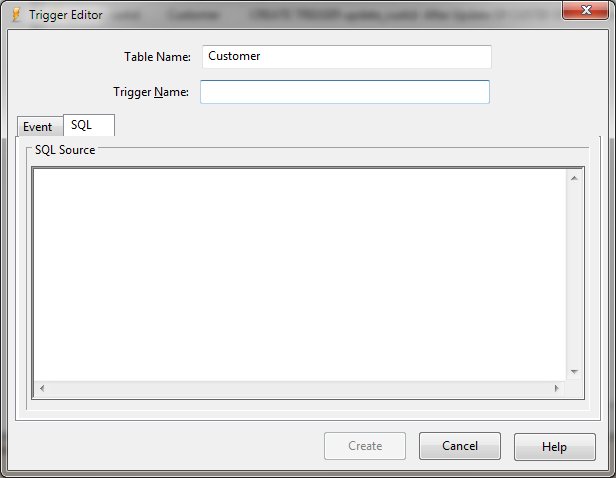
SQL Tab
-
-
-
SQL Source
-
Defines the SQL to be executed when the defined event occurs.
-
Create or Update
-
Creates or updates the defined trigger.
-
Cancel
-
Aborts the trigger creation or modification process and returns to the program.


